Your brand doesn't stop at the browser tab. It follows onto the phone.
White-labeling on desktop is table stakes for most resellers. Mobile is where it usually falls apart, either there's no real mobile experience at all, or the “mobile app” quietly drops your branding and shows the vendor's name the moment it opens. DialerSeat's white-label carries all the way onto the phone, installed to the home screen, with your theme intact from the login screen to the dialer itself.
▸ HOW IT ACTUALLY WORKS
DialerSeat's mobile experience is a Progressive Web App (PWA), not a native iOS or Android app downloaded from an app store, but a web app that installs to the home screen, runs full-screen with no browser chrome, and behaves like a native app in every way that matters: an icon on the home screen, an app-style launch, offline-friendly caching, and no address bar in sight once it's open.
When you white-label your DialerSeat account, that branding your logo, your color palette, your custom domain, carries straight through to the PWA. Your agents visit your domain on their phone, tap “Add to Home Screen,” and from that point on they're opening your app icon, with your theme, every time.
The install steps themselves, Safari's Share menu on iPhone, Chrome's install prompt on Android, are the same whether an account is white-labeled or not. See DialerSeat on mobile for the exact step-by-step if you need it spelled out.
Swipe through a real white-labeled account below: same account, same features, two completely different themes.
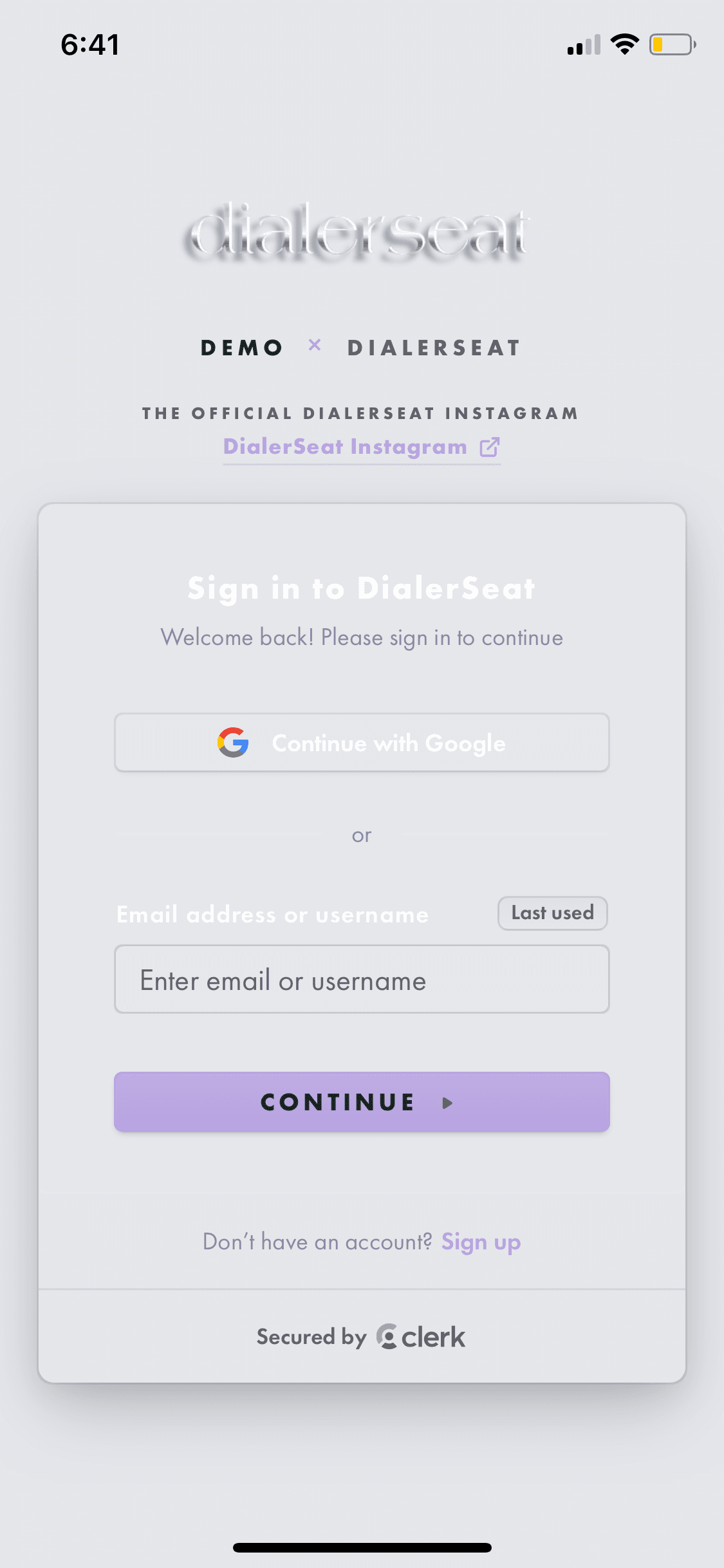
Login screen, light theme. Custom instagram link, custom copy, fully re-themed colors, installed straight to the home screen.
▸ SAME CODEBASE, COMPLETELY DIFFERENT SKIN
The two screenshots below are the exact same navigation menu, on the exact same account type (Manager+), running the exact same code. The only thing that changed is the white-label theme configuration: colors, background treatment, and logo styling.
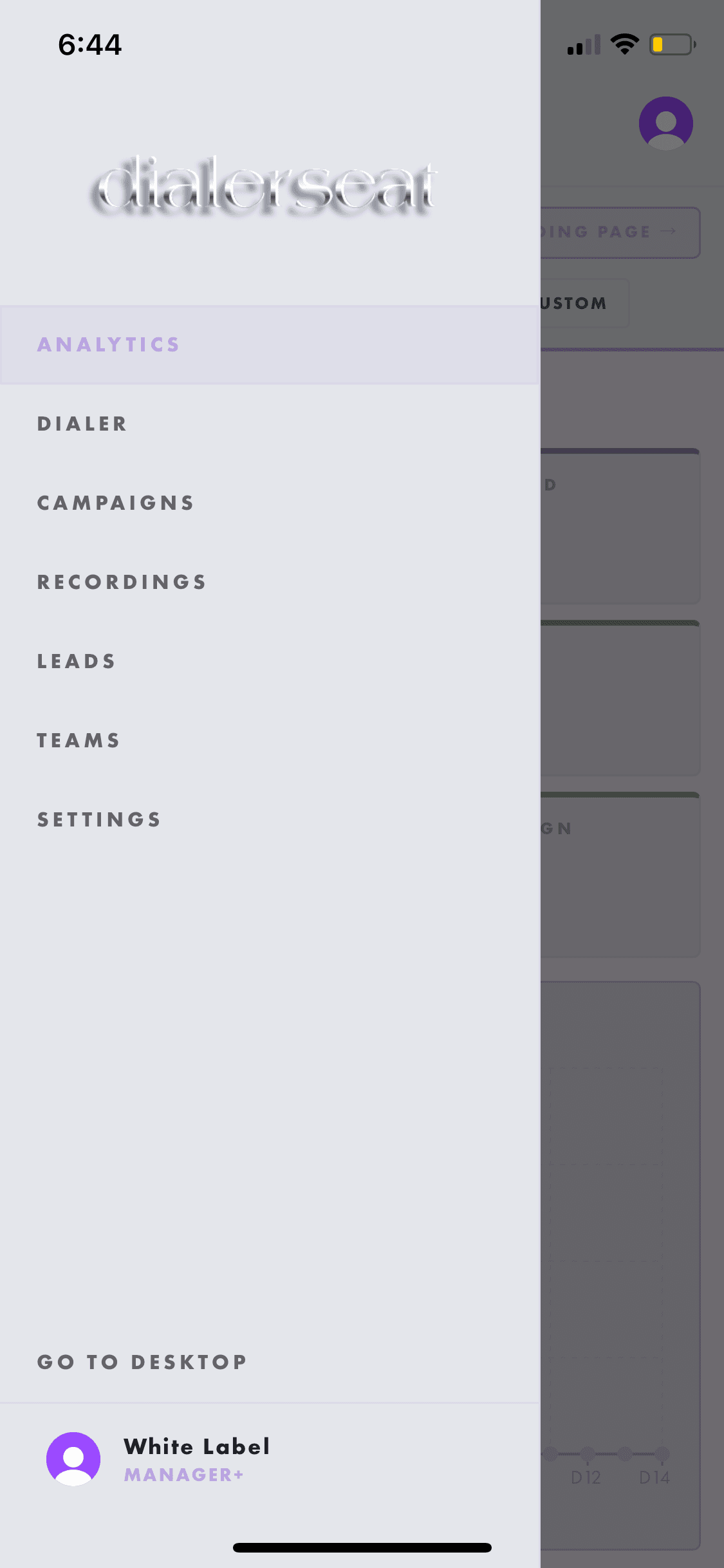
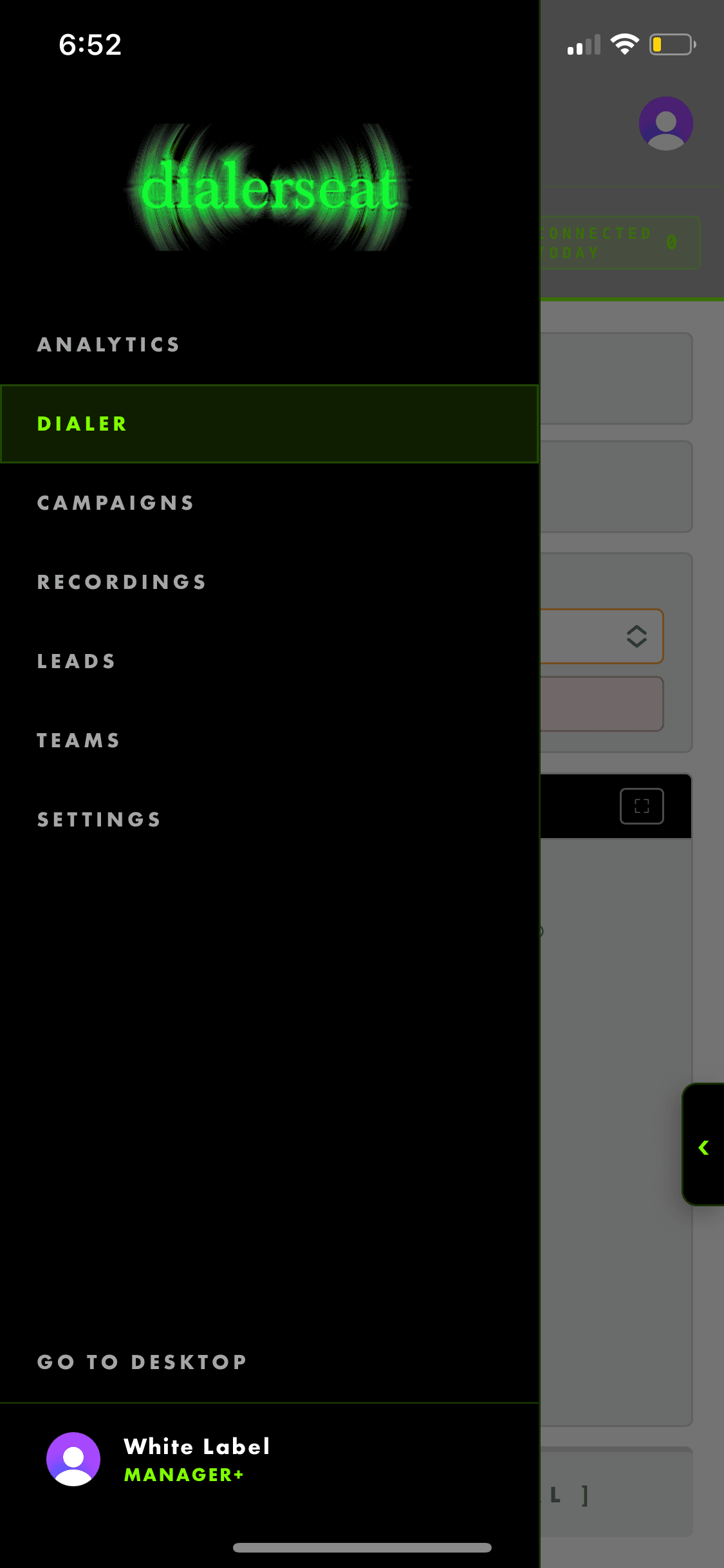
Light and airy, or dark with a neon glow: the layout, the links, and the permissions underneath never change. Only the skin does.
▸ WHY MOST WHITE-LABEL DIALERS DON'T DO THIS ON MOBILE
This isn't a shot at the competition for the sake of it it's a real, well-documented constraint. Apple and Google both restrict publishing multiple near-identical “boilerplate” native apps from the same underlying codebase under different names and branding. A dialer vendor that wants to give every reseller their own branded native app in the App Store and Play Store runs straight into that policy, it's the reason so few white-label platforms of any kind bother trying anymore.
The usual workarounds are worse than the problem: charge resellers a large one-time fee to get a lightly-rebranded native app submitted under their own developer account (slow, expensive, and it goes stale the moment the platform ships an update), or skip mobile branding entirely and just show resellers' agents the vendor's own app with the vendor's own name on it, which is the most common outcome in this industry.
One honest limitation, a PWA is not a listing in the App Store or Play Store. There's no storefront presence, no App Store search visibility, and no push-notification behavior identical to a fully native app on every device (iOS PWA support in particular trails Android in a few areas, like background sync). For a branded internal tool your agents install once and use daily, none of that matters. If your business model depends specifically on public App Store discoverability for an end-consumer app, that's a different product need than what white-labeling a dialer solves.
Set up your theme, then add it to your home screen.
White-labeling is part of Manager+, $75/week. Once your theme is configured, installing to mobile takes one tap from any browser.
START MANAGER+ →